
Comicking Part 5: Manga Studio and Etc.
- At April 11, 2011
- By Laur
- In blog, processes
 5
5
This is Part 5 of a series of posts I’m writing about how I made Final Track, a 34-page shojo manga I worked on as my submission for the Yen Press New Talent Search.
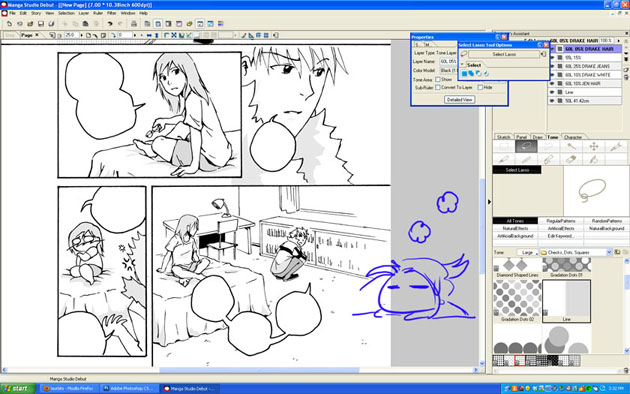
Toning on Manga Studio
I usually ink all the pages completely before scanning everything. I know some people like completing one page at a time and that’s fine. We all have different preferences. I scanned these pages in at 600dpi even though 300dpi is the usual standard for printing. Unless your computer can handle the file size, I’d say 300 is fine. I save them as Bitmap files (.BMPs) and import them in Manga Studio.
Using Manga Studio seems to have been fairly intuitive enough that I managed to plow my way through after looking up processes and figuring out what commands did what. Suffice it to say that I’m much happier with the results from Manga Studio than trying to tone in Photoshop. The database of built-in tones by itself was a lifesaver and the ability to use gradient tones made achieving certain effects efficiently.
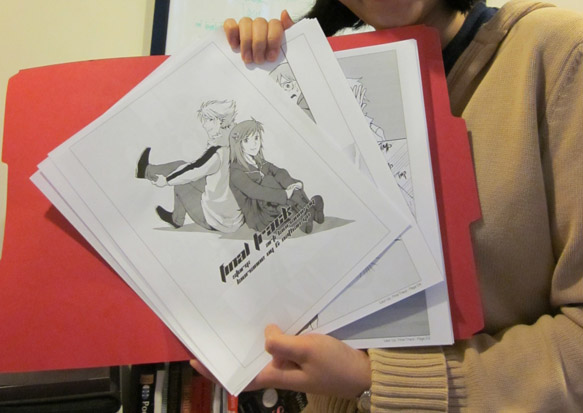
Print Drafts
If you’re doing a comic specifically for print, it’s important that you actually see what it looks like on physical paper. You’re likely to discover things that jump out at you very differently from viewing on a screen. I’m always fortunate to have a very patient and detail-oriented sister willing to go over my work with a fine-toothed comb and point out areas for improvement. Afterwards, ofcourse, the next step involves implementing the feedback. It’s only after I’ve gone over everything again did I feel like the work was polished enough for presentation. It’s important to put your best foot forward.
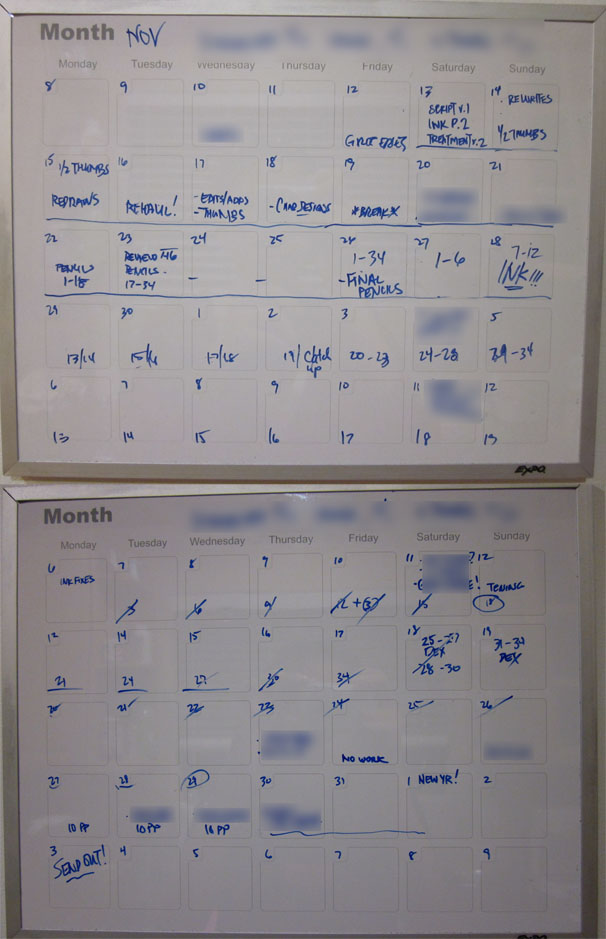
Nov-Dec 2010 Schedule
If the process seems unwieldy and time-consuming, it really is and it will totally be your advantage to give yourself concrete and achievable deadlines. This will allow you to keep track of your progress and make adjustments to your schedule as needed. Final Track was a project I undertook for 2 months with full-time work. I did take a week off on Thanksgiving but the rest of the time, I spent working on it weeknights and weekends. I gave myself plenty of breaks so not to strain my body, ate well and slept regularly. No last minute rush jobs here because I hate doing that. Some people might be able to produce their best work under extreme pressure but I know I can’t. I’ve never been prone to pulling all-nighters because I just can’t recover from sleep debt as graciously as others can. So, I rely on strategies and planning ahead to make sure the work gets done.
Evolution of a page
Well, there you have it! This wraps up my behind-the-scenes look at Final Track and my comicking process. Hope y’all enjoyed!
Questions? Comments?
Previous Post: Comicking Part 4: Pencils, Bubbles & Inks