
How to Make Manga – Final Track Manga Process
- At July 27, 2011
- By Laur
- In processes
 1
1

Decided to compile a masterlist of the posts regarding my Final Track process. Hope you’ll find this useful!
This was a series of posts I wrote about how I made Final Track, a 34-page shojo manga I submitted for the Yen Press New Talent Search Fall 2010. I was contacted as a finalist in March 2011 and was given valuable feedback by the editors.
Part 2: Writing and Thumbnails
Comicking Part 5: Manga Studio and Etc.
- At April 11, 2011
- By Laur
- In blog, processes
- 5
This is Part 5 of a series of posts I’m writing about how I made Final Track, a 34-page shojo manga I worked on as my submission for the Yen Press New Talent Search.
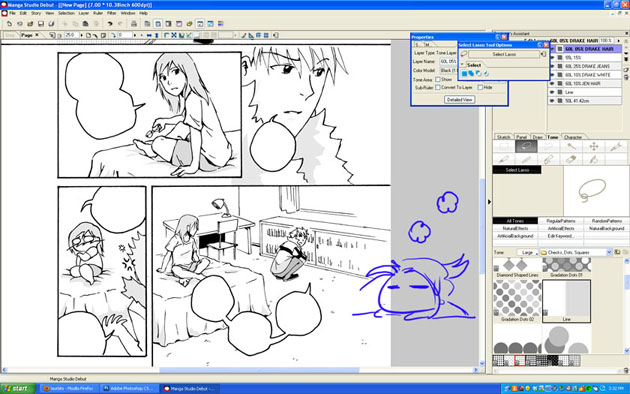
Toning on Manga Studio
I usually ink all the pages completely before scanning everything. I know some people like completing one page at a time and that’s fine. We all have different preferences. I scanned these pages in at 600dpi even though 300dpi is the usual standard for printing. Unless your computer can handle the file size, I’d say 300 is fine. I save them as Bitmap files (.BMPs) and import them in Manga Studio.
Using Manga Studio seems to have been fairly intuitive enough that I managed to plow my way through after looking up processes and figuring out what commands did what. Suffice it to say that I’m much happier with the results from Manga Studio than trying to tone in Photoshop. The database of built-in tones by itself was a lifesaver and the ability to use gradient tones made achieving certain effects efficiently.
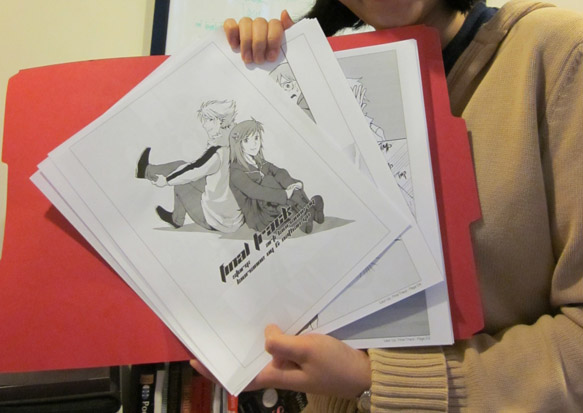
Print Drafts
If you’re doing a comic specifically for print, it’s important that you actually see what it looks like on physical paper. You’re likely to discover things that jump out at you very differently from viewing on a screen. I’m always fortunate to have a very patient and detail-oriented sister willing to go over my work with a fine-toothed comb and point out areas for improvement. Afterwards, ofcourse, the next step involves implementing the feedback. It’s only after I’ve gone over everything again did I feel like the work was polished enough for presentation. It’s important to put your best foot forward.
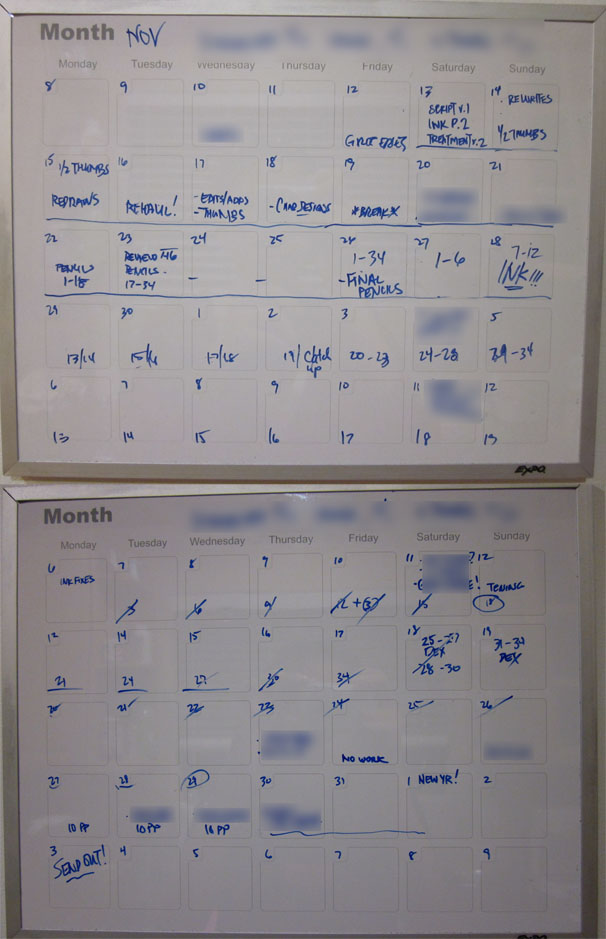
Nov-Dec 2010 Schedule
If the process seems unwieldy and time-consuming, it really is and it will totally be your advantage to give yourself concrete and achievable deadlines. This will allow you to keep track of your progress and make adjustments to your schedule as needed. Final Track was a project I undertook for 2 months with full-time work. I did take a week off on Thanksgiving but the rest of the time, I spent working on it weeknights and weekends. I gave myself plenty of breaks so not to strain my body, ate well and slept regularly. No last minute rush jobs here because I hate doing that. Some people might be able to produce their best work under extreme pressure but I know I can’t. I’ve never been prone to pulling all-nighters because I just can’t recover from sleep debt as graciously as others can. So, I rely on strategies and planning ahead to make sure the work gets done.
Evolution of a page
Well, there you have it! This wraps up my behind-the-scenes look at Final Track and my comicking process. Hope y’all enjoyed!
Questions? Comments?
Previous Post: Comicking Part 4: Pencils, Bubbles & Inks
Comicking Part 4: Pencils, Bubbles & Inks
- At March 27, 2011
- By Laur
- In blog, processes
- 4
This is Part 4 of a series of posts I’m writing about how I made Final Track, a 34-page shojo manga I worked on as my submission for the Yen Press New Talent Search.
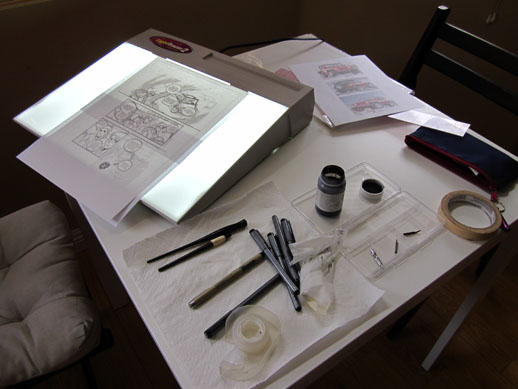
Messy but productive workspace
Using the thumbs I came up with, I started fleshing out my ideas on the computer using my Wacom tablet and Photoshop. I began drawing on the computer for this project because I knew I was going to ink by hand. Having digital files meant I could easily move panels around and make corrections faster than erasing and re-drawing line art. If it isn’t obvious by now, I take all the time-saving strategies I can get!
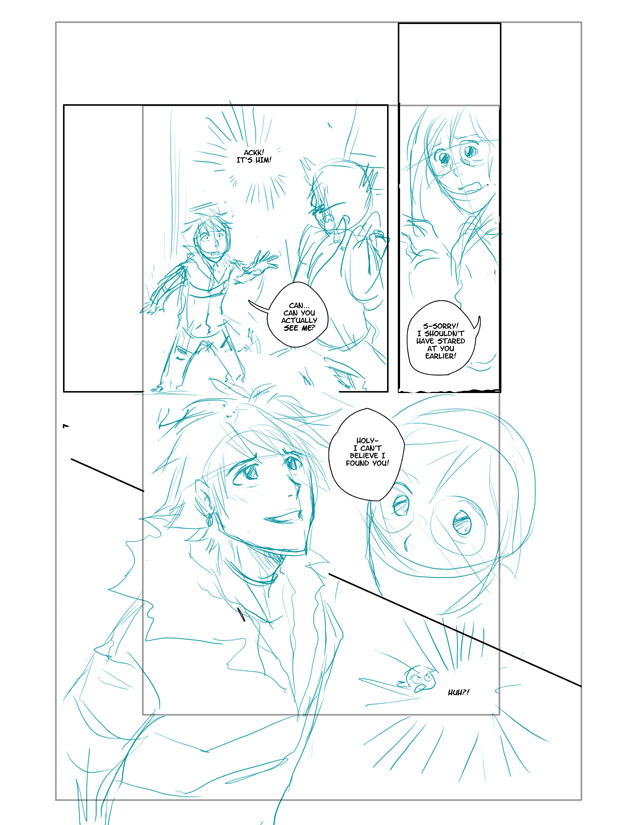
As before, I pay attention to the flow of the story and the dialogue and how a reader experiences the entire page. Sometimes, the squiggles in the thumbs process can’t really account well for bubble placement and I need to make a few tweaks. At this point, I’ve dropped the text into Photoshop from the script and create bubbles using the Pen Tool on another layer. I do this step digitally to make sure the text and bubbles work within the composition of the page. Nothing irks me more than pages with bubbles thrown in like a careless afterthought. These are important elements in comic pages and have to be treated with some dignity!
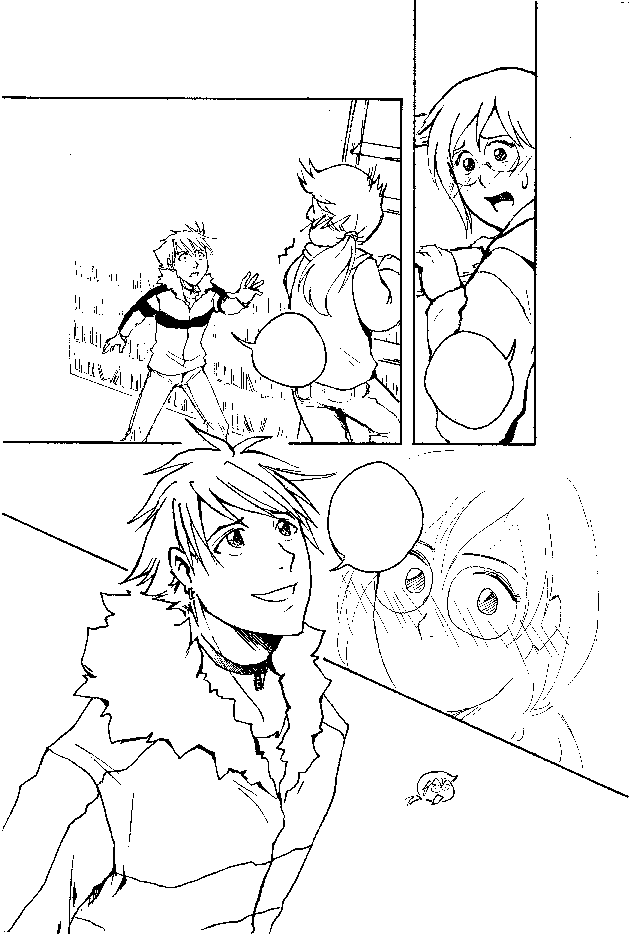
I had my first set of pencils reviewed then, made more changes and fleshed out backgrounds and details a bit more before printing it out for inking. Nowadays, I ink using my lightbox, an Artograph LightTracer Light Box
I use both Copic Multiliners

As for paper, I bought Borden Riley Paris 9 x 12 Bleedproof Paper
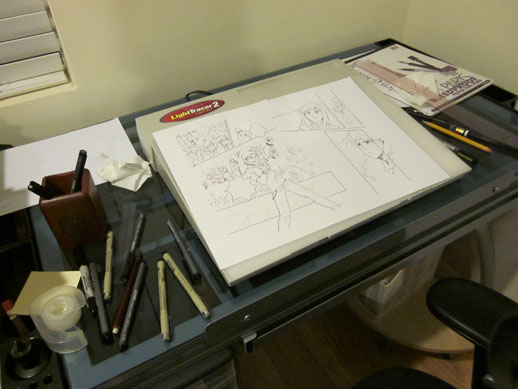
Inking the double page spread
Inking was probably the fastest part of the process because I was way too reluctant to put anything down. I do think the lineart could have used more contrasts in general. However, given that this was “shojo” I didn’t want to lose light and delicate lines that are quite characteristic in the genre either. Hopefully, it reads as somewhat in between the extremes.
Questions? Suggestions? I’d love to hear from you!
Previous Post: Comicking Part 3: Character Designs
Next Post: Comicking Part 5: Mangastudio and Etc.
Comicking Part 3: Character Designs
- At March 11, 2011
- By Laur
- In blog, processes
- 4
This is Part 3 of a series of posts I’m writing about how I made Final Track, a 34-page shojo manga I worked on as my submission for the Yen Press New Talent Search.
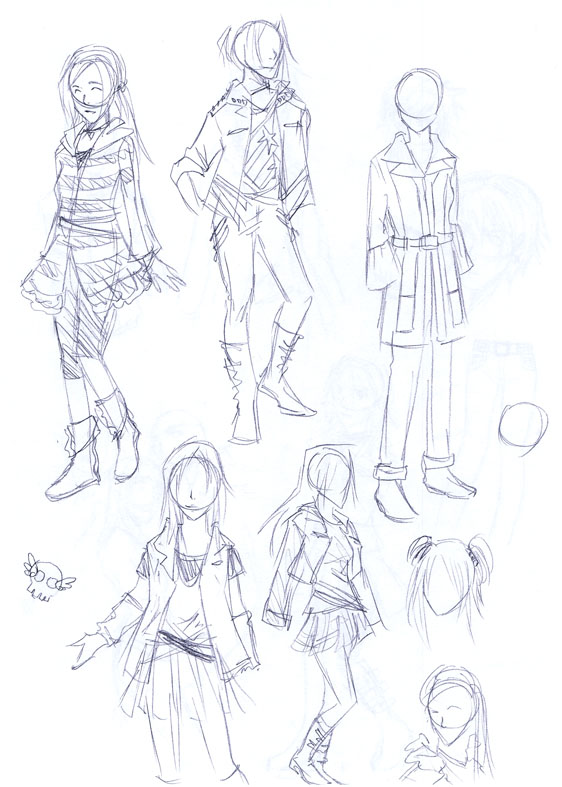
Virtual shopping for wardrobe
The next part of the process is a little bit like the preparation people need to do before filming a movie. Much of it involves research, gathering references and choosing the visuals that will be appearing in your story. And it doesn’t necessarily have to come after parts 1 (generating ideas) and 2 (writing and thumbnailing) either. For this particular project, I had some ideas how my characters were going to look like but prioritized getting the story right first.
Character Designs
I refer you all to a wonderful series of posts Aaron Diaz wrote up on figure design, costume and silhouette. There’s plenty there to digest and I certainly can’t say I’ve mastered all these basic concepts myself.
For Final Track, I wanted the personalities of the main characters to clash. One of the easiest ways to do this was to convey their differences through what they wear. I wanted the male lead Drake to be loud and confident so his design had to be somewhat vibrant with lots of great angles like spiky hair, and a faux fur-trimmed jacket. In contrast, the female lead Jen was smaller, had smoother lines and less of a flamboyant style (basically boring XD).
I like to keep my character designs simple and streamlined. If I have to draw details, I try to make them manageable. You are after all drawing them over and over again. Having a bajillion details on your character’s epic armor is just a recipe for disaster. If you don’t have assistants and you’re on a tight deadline, KEEP IT SIMPLE!
It’s also a good idea to have some kind of model sheet which you can consult as you work on the comic. It’s very easy to get “off-model” especially if you’re drawing your characters with varied expressions and from different angles.
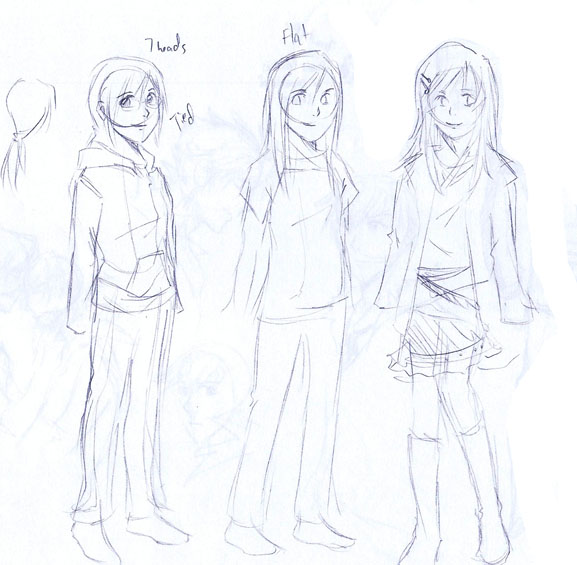
Jen's costume changes throughout the story
Here I just sketched out Jen’s wardrobe throughout the comic. Sometimes it’s nice to externalize the change or growth of your character visually, as opposed to spelling it out via dialogue (I heard Hitchcock used to do this in his films).
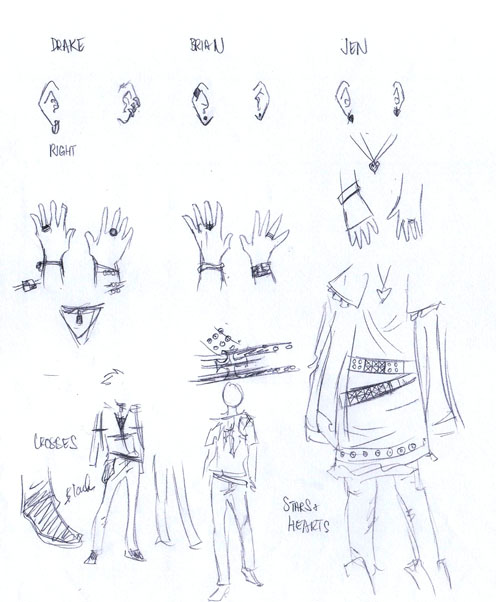
Helpful aid during production
This was a pretty useful thing to have when you design complicated accessories for characters. You could easily forget a ring or necklace somewhere.
As always, it’s best to have other people give you feedback on your designs to help you discover things you may have overlooked.
Questions? Suggestions? I’d love to hear from you!
Previous Post: Comicking Part 2: Writing/Thumbs
Next Post: Comicking Part 4: Pencils, Bubbles and Inks
Comicking Part 2: Writing and Thumbnails
- At March 01, 2011
- By Laur
- In blog, processes
- 5
This is Part 2 of a series of posts I’m writing about how I made Final Track, a 34-page shojo manga I worked on as my submission for the Yen Press New Talent Search.
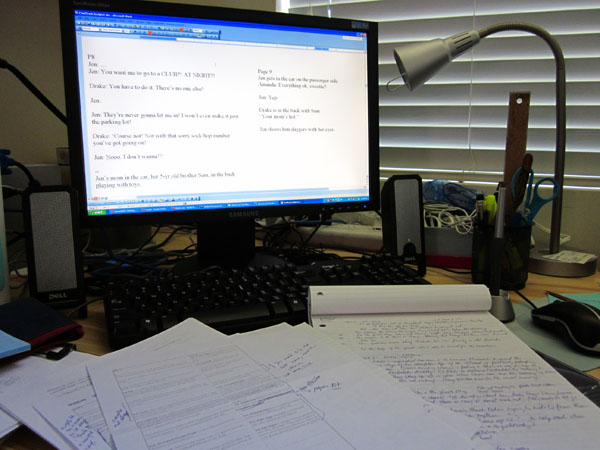
Creative Chaos
Now that you’ve got some ideas, it’s time to choose one and focus on crafting it. I’m going to be honest with you and admit this is the most difficult part of the process for me. You’ve really got to be patient during this process because if you care about creating an interesting, meaningful story, it comes with a price: dedication, perseverance and time.
Ever since I was introduced to the craft of screenwriting (writing for TV and movies) by my writing partner (@nathango), I started paying more attention to elements of stories I previously used to gloss over. I started running into terms like character motivations, conflicts and resolutions and felt like I was learning vital notions I could use in creating comics. I’m sure there are plenty of great books for how to write comics, too, but I’ve been in love with movies longer than I’ve been reading comics so it was just a matter of preference.
It certainly helps to have someone with you through the brainstorming period in which your story takes shape. I’ve worked with Nathan, my co-writer on Final Track, on projects before and I know we care enough about creating a good story that we can get into lengthy debates over important things. We talk about characters first and what their journey will be like. Then, one of us makes a rough outline of how we think things will go. Once we get to this stage, I take over and make my first pass at dialogue.
Scripting
When I script, I just use MS Word and change the layout orientation to landscape and create two columns per page. Recently, I’ve also tried just having the page view showing 2 pages simultaneously. The Insert>PageBreak function is especially useful when I want to write for a new page. I do this to get a feel for where the page I’m writing falls: right or left. (In this case, my assumption is based on a printed comic book layout.) That way I can plan important scenes like surprises on a left page so you don’t see it coming until you turn the page. I also have an easier time figuring out where I can insert a double page spread to make sure it actually takes up facing pages.
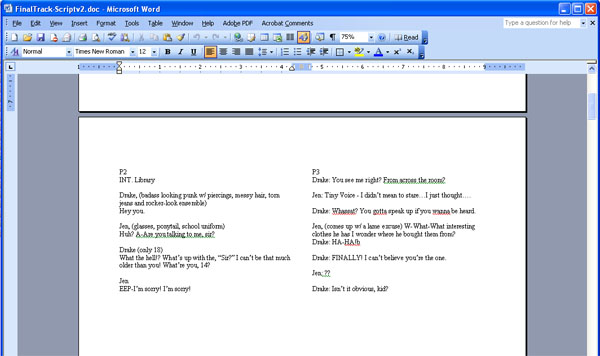
Landscape mode in MS Word
If I have a page count limit, I find it helpful to break the story into chunks and determine how many pages each chunk should take up. If you know about act breaks, you can break your story into however many acts you want (for example, the typical number of acts are 3 for a movie — this is easy to understand: beginning, middle and end). This way, you know what scenes should be extended or cut depending on page availability.
I have a lot of fun with dialogue and enjoy writing for comedy. It’s when I script and play with the characters’ voices in my head that I see the comic come to life. But sometimes, I can get carried away with ideas. So getting feedback as early as this part in the process helps me avoid making painful changes down the road when things are harder to edit. Having a working script doesn’t make things final anyway. Often, I create thumbnails alongside the script especially if I want to see how scenes break down on a page. This helps me include visual notes that I don’t have to write out on the script.
Thumbnailing
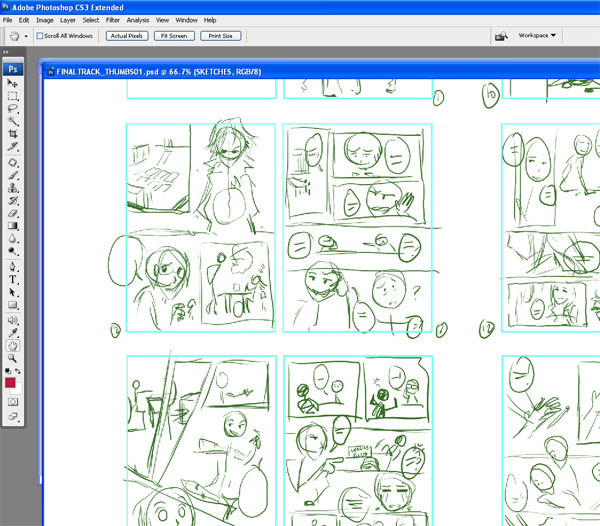
Squiggles and boxes
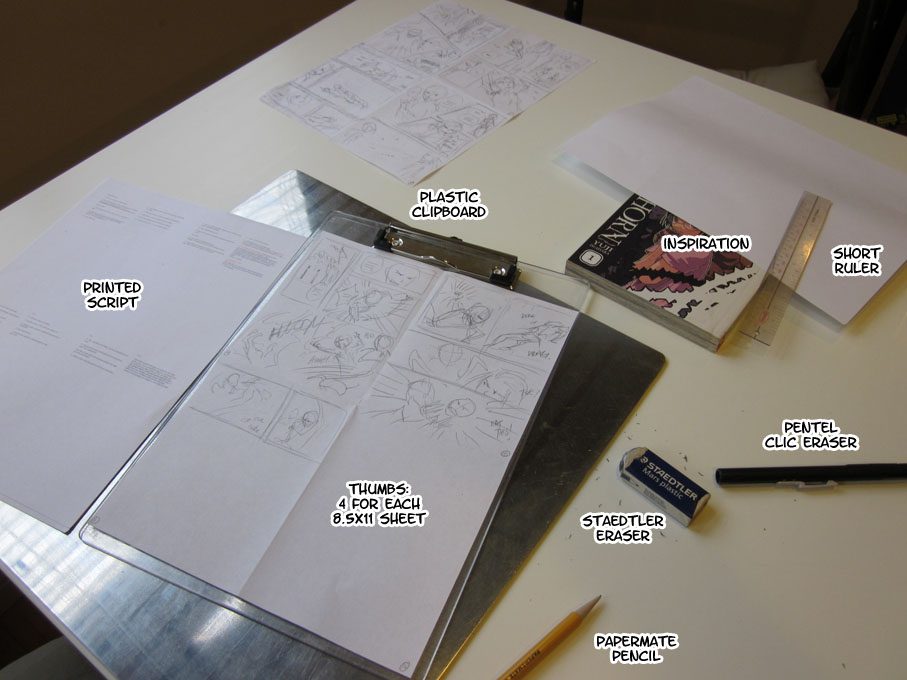
With thumbs, I’ve been wavering back and forth with drawing them on paper and using a tablet on Photoshop. Thumbs don’t really need to be polished which is why I can do them on scrap pieces of paper. But when I’m moving scenes around different pages, having the option of cutting and pasting panels and sequences onto new pages frees me up creatively so I don’t have to erase and redraw anything. I can concentrate on the flow of the story.
Flow is really what I pay attention to when I’m working on thumbs. Does it make sense? Are the elements on the page properly guiding the reader? What are the most important aspects I want to highlight in the scene? All of these are questions I ask when drawing the stick figures in the boxes because I want to control the experience of the viewer and make them see what I want them to show them. If you don’t understand what’s going on in a panel of a comic page, it’s likely the result of poor composition choices.
Questions? Suggestions? I’d love to hear from you!
Previous Post: Comicking Part 1: Ideas
Next Post: Comicking Part 3: Character Designs